Product
See RCIntel in action
Run the demos below — no account needed. Every answer is also available through the API and MCP and the web tools.
Coverage Check
Pick a procedure and diagnosis. RCIntel tells you whether the diagnosis supports the procedure under the Medicare coverage policy for that state, before you submit the claim.
Claim line · Medicare Part B · Kentucky
Result
Sample result for illustration, based on CMS LCD L33950 and billing article A56448. Sign in to check your own procedure and diagnosis codes.
Sign in to check your own codes →Payment Calculator
Pick a claim type and setting. See what Medicare pays Mayo Clinic for the service — physician, outpatient, or inpatient — and the fee schedule behind the number.
Reimbursement
Hospital (facility) payment
Setting
Provider
Mayo Clinic
CCN 100151 · FL · Short-Term Acute Care Hospital
MS-DRG 470
Major hip and knee joint replacement without MCC
Hospital inpatient stay · IPPS FY 2026
Result
Sample Medicare fee-for-service calculation from public CMS files: the CY 2026 physician fee schedule and OPPS Addendum B, and the FY 2026 IPPS final rule. Actual payment depends on the full claim, modifiers, and beneficiary cost sharing. Sign in to price your own CCN, codes, and DRGs.
Sign in to price your own codes →NCCI edits
Pick an edit type. RCIntel checks the claim lines against the CMS National Correct Coding Initiative edits for Medicare and tells you what will deny and how to fix it, before the claim goes out.
Edit type
Claim lines · Medicare Part B · Professional
| Code | Description | Units |
|---|---|---|
| 45385 | Colonoscopy with removal of polyp by snare | 1 |
| 45378 | Colonoscopy, diagnostic | 1 |
Result
Sample checks against the CMS Medicare NCCI practitioner edit files. CMS updates the edits every quarter, and actual denials depend on the full claim and its modifiers.
Sign in to check your own codes →NPI Lookup
Search the national provider registry by name, or open a single NPI. See each provider's status, specialty, and addresses, so you bill under the right NPI.
Lookup
Organization name
Mayo Clinic
NPI type
Any
State
Any
Result
Sample records from the CMS NPPES provider registry. Providers report their own NPPES data, and an NPI alone doesn't mean a provider is licensed or enrolled in Medicare.
Sign in to search the registry →Remit Explorer
Early accessDrop in an 835 remittance and see what happened: every denial and adjustment explained in plain English, ranked by dollars, with payer scorecards and underpayments flagged.
For revenue cycle teams working denials and underpayments who want the story in a remittance without a spreadsheet.
Your remittance file stays on your computer. It is never uploaded.
Open Remit Explorer →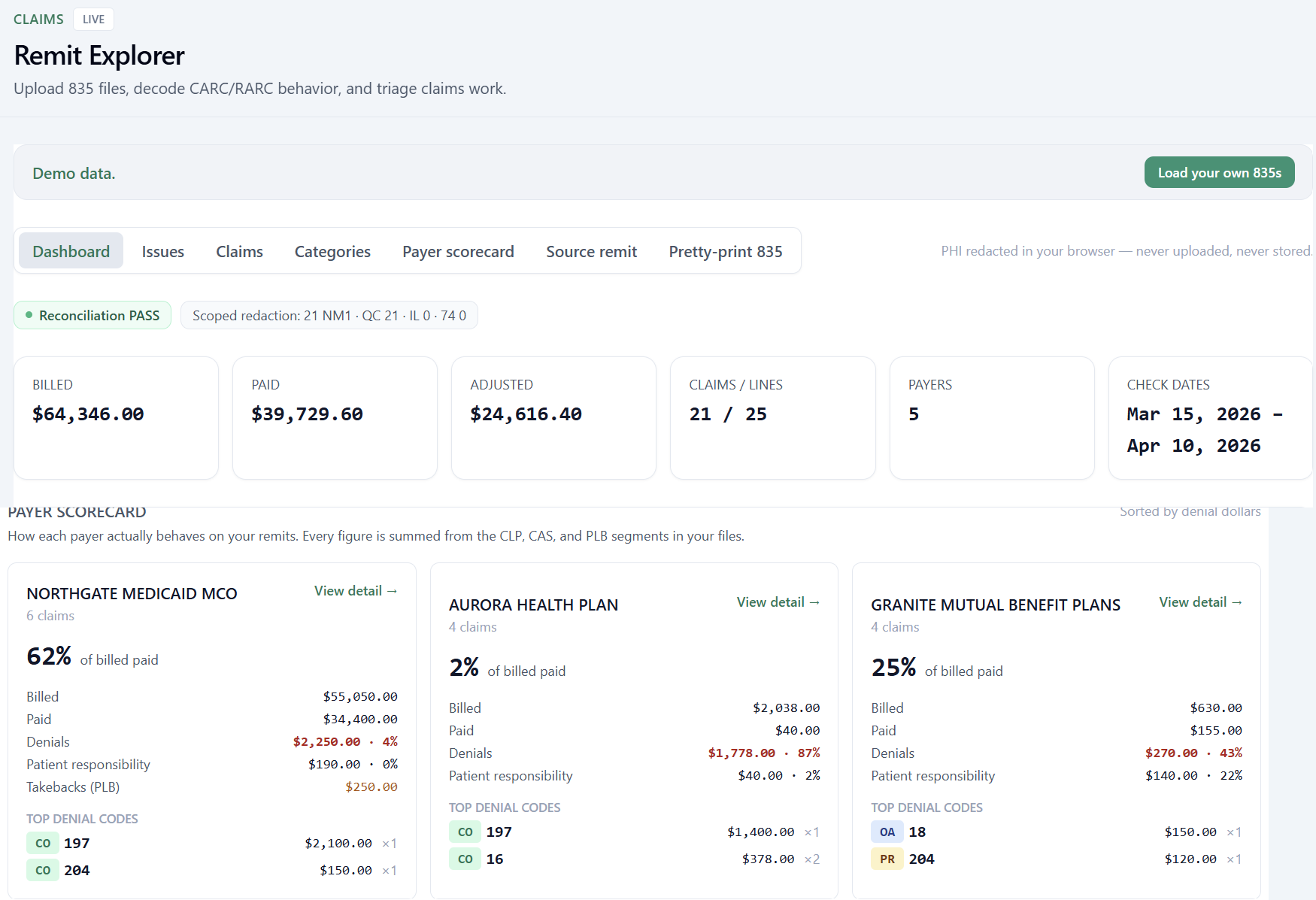
Developer API & MCP
AvailableEverything on this page is also an API. Call it from your own software over REST, or connect it to an AI agent over MCP.
For product and engineering teams adding revenue cycle intelligence to their own software or agents.
The same answers as the web tools, returned as structured data. Start with a free read-only key.
Read the docs →
What’s available today
Available now
Ready for production use.
Early access
Live and usable while we finish it.
Try it, or build on it
The web tools are free to use. Get a read-only API key to call the same answers from your own software.
Want us to run it for you? Talk to us.